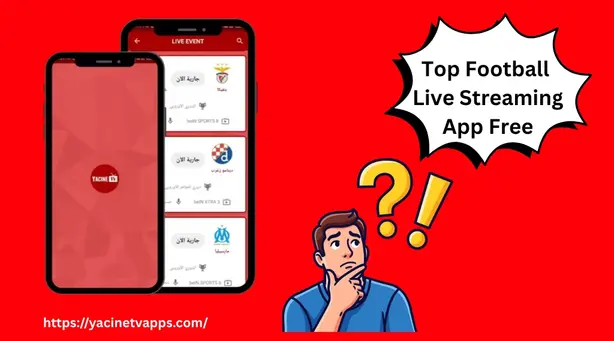
Best Live TV APK for Arabic Channels in 2026
If you have been searching for a reliable way to watch Arabic channels on your Android phone or Smart TV without paying monthly subscription fees, you have noticed one thing normally: the options look similar on paper but behave very differently in real life.

I have spent weeks installing, testing, and comparing the most popular live TV APKs specifically for Arabic content such as sports, entertainment, news, and kids channels. This guide will gives you an answer based on actual use.
Why Finding an Arabic Live TV APK Is Difficult?
The challenge with Arabic streaming is not just about finding an app with a long channel list. Three problems you will afce mostly are:
Geo-restrictions:
Channels like beIN Sports, MBC Shahid, and OSN enforce strict IP-based regional locks. Many apps that list these channels technically cannot deliver them to users in Europe, North America, or Australia without workarounds.
Channel lists are misleading:
An app that claims “500+ Arabic channels” might actually have 400 channels that never load, 50 that load with heavy buffering, and 50 that work reliably. Raw numbers mean nothing without server stability behind them.
Most guides do not test on actual TV screens:
Arabic viewers increasingly watch on Smart TVs, Fire TV Sticks, and Mi Boxes — not just phones. An app that works fine on a touchscreen can be completely unusable with a TV remote.
Keeping these three problems in mind, here is what actually matters when choosing.
What to Look for in an Arabic Live TV APK?
Stream Quality, Not Just HD Labels
Every APK claims HD streaming. The real question is whether that HD stream holds during a live football match when thousands of other viewers are watching the same channel simultaneously. Apps with multiple server mirrors per channel handle this better than single-server apps. When Server 1 is overloaded during a Champions League group stage night, Server 2 and Server 3 should kick in without you having to close and reopen anything.
Arabic Content Depth
A strong Arabic live TV APK should cover all four pillars of what Arabic audiences watch:
- Sports: beIN Sports full package, SSC Sports for Saudi Pro League, Abu Dhabi Sports, Alkass for Qatari football, and Canal+ Sport for French leagues with Arabic commentary
- Entertainment: MBC Group (MBC1 through MBC4), Rotana Cinema, Rotana Drama, OSN Drama, and Shahid VIP content
- News: Al Jazeera Arabic and English, Al Arabiya, BBC Arabic, France 24 Arabic and French, Sky News Arabia
- Kids and Family: Spacetoon, Baraem, Jeem TV, MBC3, Cartoon Network Arabic
Apps that are strong on sports but weak on entertainment, or vice versa, leave gaps that matter to real households.
Country-Specific Arabic Channel
One thing most guides overlook: Arabic content is not monolithic. A viewer in Algeria wants Canal Algérie, ENTV, and Echorouk News. A Saudi viewer wants SBC and Saudi Sports channels. A Moroccan viewer wants 2M, Medi1 TV, and Al Aoula. The best apps organize Arabic channels by country — Algeria, Morocco, Egypt, Tunisia, Saudi Arabia, Qatar, UAE, Iraq — rather than throwing everything into one unsorted list.
TV Remote Compatibility
If you plan to watch on a Firestick, Android TV box, or Smart TV, the app needs to work with a remote control, not just a touchscreen. This filters out a number of apps that look fine in screenshots but the moment you try to navigate with directional buttons instead of finger taps.
APK With Minimal Permissions
A legitimate streaming app needs internet access and storage. It does not need your contacts, call logs, camera, microphone, or precise location. Before installing any APK, check the permission list. Anything beyond network and basic storage is a red flag.
The 5 Best Live TV APKs for Arabic Channels
1. Yacine TV APK — Best Overall for Arabic Content
Our rating: 9.2 / 10
Yacine TV performs better than any other free option specifically for Arabic and French-speaking audiences. The channel depth across all four content pillars — sports, entertainment, news, and children. You can download at zero cost.
The app runs on Android phones, tablets, Smart TVs, Firestick, Mi Box, NVIDIA Shield, and Chromecast. For Firestick users specifically, the Yacine TV Black version is worth installing instead of the standard version. Yacine TV Black has a built-in video player (no YTV Player Pro required separately), no advertising, and has a dark interface that navigates better with a remote control.
What works well: Stream stability is strong even during high-traffic events. Multiple server mirrors per channel mean you can switch from a congested server to a faster one without restarting. The country-specific Arabic channel organization is useful — dedicated sections for Algeria, Morocco, Egypt, Saudi Arabia, Qatar, Tunisia, UAE, and Iraq make content discovery fast.
The built-in daily match schedule shows all live sports events with team names, logos, local timezone times, and direct links to broadcast channels. For football fans following multiple leagues — Saudi Pro League, Ligue 1, Premier League, La Liga — this alone saves significant browsing time.
limitations: Server load during very high-traffic events (Champions League final, World Cup knockout rounds) occasionally causes buffering on popular channels. You can resolve this by switching to an alternate serve. The app is not on Google Play Store, which means manual APK installation is required.
Best for: Arabic and French-speaking audiences in North Africa, the Gulf, and diaspora communities in France, the UK, and North America who want coverage without any subscription cost.
Download: yacinetvsapk.com
2. Live Net TV: Best for Sports Coverage
Our rating: 7.8 / 10
Live Net TV has include over 800 channels including Abu Dhabi Sports, Qatar TV, and several Arabic regional networks. Its main strength is breadth and covers sporting events from regions that smaller apps miss.
The feature for replaying missed matches is useful. The interface, however, is dated and requires more taps to reach content than Yacine TV does. On TV devices, navigation is workable but not comfortable.
Best for: Sports-focused viewers who want maximum channel variety and are primarily watching on a phone or tablet.
3. RedBox TV: Reliable for News and Drama
Our rating: 7.5 / 10
RedBox TV carves a niche with its curated approach. Rather than listing every available stream regardless of quality, it focuses on delivering reliable channels. Arabic news coverage is strong ssuch as Alsumaria for Iraqi news, LBC for Lebanese current affairs, and Al Arabiya for Gulf-focused reporting all perform well.
The app is lightweight, uses low data compared to competitors, and handles poor internet connections more gracefully than most. Its weakness is sports — the live football coverage does not match Yacine TV’s, and during major match days, server drops noticeably.
Best for: Viewers who prioritize news and drama content and watch on budget Android devices or slower internet connections.
4. HD Streamz:
Our rating: 7.2 / 10
HD Streamz is a general streaming app that includes Arabic channels alongside content from dozens of other regions. The interface is clean and the setup is straightforward. However, Arabic channel is shallower than Yacine TV. The MBC Group coverage is incomplete, beIN Sports availability is inconsistent, and there are no country-specific Arabic sections.
For viewers who want one app for both Arabic and international English content, HD Streamz is a reasonable choice. For primarily Arabic audiences, it falls short.
Best for: Multilingual users that want mixed Arabic and international content in a single app.
5. Mobdro: Broad Library, Inconsistent Arabic Performance
Our rating: 6.8 / 10
Mobdro’s global channel library is broad, and include Arabic content including MBC Bollywood and some Dubai TV channels. However, Arabic streaming is not its design focus, and this shows in practice. Geo-restrictions hit harder on Mobdro for Arabic viewers outside the MENA region, stream quality for Arabic channels is less consistent than purpose-built Arabic apps, and many previously available Arabic feeds have disappeared in recent updates.
If you are outside the Middle East and want to use Mobdro for Arabic channels, a VPN is almost required.
Best for: Multi-language households in regions with fewer geo-restrictions, or as a secondary app alongside a more Arabic-focused option.
Side-by-Side Comparison
| Feature | Yacine TV | Live Net TV | RedBox TV | HD Streamz | Mobdro |
|---|---|---|---|---|---|
| Arabic Channel | ⭐⭐⭐⭐⭐ | ⭐⭐⭐ | ⭐⭐⭐ | ⭐⭐ | ⭐⭐ |
| Sports Coverage | ⭐⭐⭐⭐⭐ | ⭐⭐⭐⭐ | ⭐⭐ | ⭐⭐⭐ | ⭐⭐ |
| TV Remote Support | ⭐⭐⭐⭐ | ⭐⭐ | ⭐⭐⭐ | ⭐⭐⭐ | ⭐⭐ |
| Stream Stability | ⭐⭐⭐⭐ | ⭐⭐⭐ | ⭐⭐⭐⭐ | ⭐⭐⭐ | ⭐⭐ |
| Subscription | ✅ Free | ✅ Free | ✅ Free | ✅ Free | ✅ Free |
| Built-in Player | ✅ (Black ver.) | ✅ | ✅ | ✅ | ✅ |
| Country-Specific Arabic | ✅ Yes | ❌ No | ❌ No | ❌ No | ❌ No |
| Android TV / Firestick | ✅ Strong | ⚠️ Workable | ⚠️ Workable | ⚠️ Workable | ❌ Poor |
| Play Store Available | ❌ APK only | ❌ APK only | ❌ APK only | ❌ APK only | ❌ APK only |
How to Install a Live TV APK— Step by Step
These apps are on the Google Play Store, installation requires a one-time setting change on your Android device.
Step 1: Enable Unknown Sources Go to Settings → Security → Unknown Sources and toggle it on. On Android 8 and above, this is a per-app permission: Settings → Apps → [Your Browser] → Install Unknown Apps → Allow.
Step 2: Download From a Trusted Source Only download from the app’s own website or a reputable APK resource. Before installing, verify the file size matches the listed size — a 10 MB app that downloads as 45 MB is a red flag. For Yacine TV: https://yacinetvsapk.com/download/
Step 3: Check Permissions Before Installing When the installation screen appears, tap “View permissions” if the option exists. Legitimate streaming apps need: Internet, Network State, Storage. If you see requests for Contacts, Call Log, Camera, or Precise Location — do not install.
Step 4: Install and Test Complete installation, open the app, and test a live channel immediately. A reliable app should start streaming within 5–10 seconds on a stable connection.
For Smart TV or Firestick installation: Use the Downloader app by AFTVnews. For Yacine TV Black, enter code 462576 in the Downloader URL bar.
Questions About Arabic Live TV APKs
Do these apps work outside the Middle East and North Africa?
Yacine TV works well in Europe, North America, and Australia for most channels. The app’s servers handle Arabic diaspora audiences specifically, which most competitors are not designed for. Some channels with aggressive geo-restrictions may buffer in certain regions — switching to an alternate server typically resolves this without a VPN.
Is a VPN necessary?
For Yacine TV, a VPN is not required for most users. If your internet service provider throttles streaming traffic (common with some ISPs in Europe), a VPN with Middle Eastern servers can improve speeds. For Mobdro, a VPN is often necessary to access Arabic-specific content outside the MENA region.
Are these apps legal to use?
Using an APK to stream publicly broadcast channels — state television, freely available news networks is accepted for personal use in most countries. The legal grey area begins with premium encrypted channels. Laws vary by country and situation. Users are responsible for checking applicable local regulations.
How often should I update the APK?
Every 3–4 weeks is a reasonable time. Server lists and channel configurations change, and newer versions typically address buffering issues and add newly available channels. Check the app’s official site for updates rather than random third-party sources.
Will these apps work on Samsung or LG Smart TVs natively?
Samsung and LG TVs use Tizen and webOS operating systems, neither runs Android APKs. For these TVs, use Chromecast to cast from your phone, or connect a Fire TV Stick or Android TV Box via HDMI. Yacine TV Black works well through both methods.
Conclusion
For Arabic and French-speaking audiences — whether based in the Gulf, North Africa, or in diaspora communities across Europe and North America — Yacine TV APK is the free option available in 2026. Its combination of channel like sports, entertainment, news, and children’s programming, combined with country-organized Arabic sections and strong Smart TV support through the Black version, makes it the best practical choice.
The other apps in this list have a specific areas — Live Net TV for sports breadth, RedBox TV for news reliability — but none match the overall Arabic content Yacine TV delivers at no cost.
If you are new to sideloaded streaming apps, start with Yacine TV Black. Install it through the Downloader app on Firestick or directly via APK on Android. You will have a working setup in under five minutes.
Related reading on this site:
- Yacine TV Black — Complete Guide & Download
- How to Install Yacine TV on Firestick — Step by Step
- Yacine TV for Smart TV — Full Setup Guide